Asset Tracking
Track equipment across people, locations, and workflows with QR-first simplicity, custody logging, and modern operational workflows.
Trusted by innovative teams































































Asset Tracking Software
Asset tracking software helps teams monitor who has what, where it is, and how it moves — providing visibility, accountability, and control over shared equipment. Shelf is a free, open-source asset tracking platform built around QR codes, custody logs, and booking workflows.
What Is Asset Tracking?
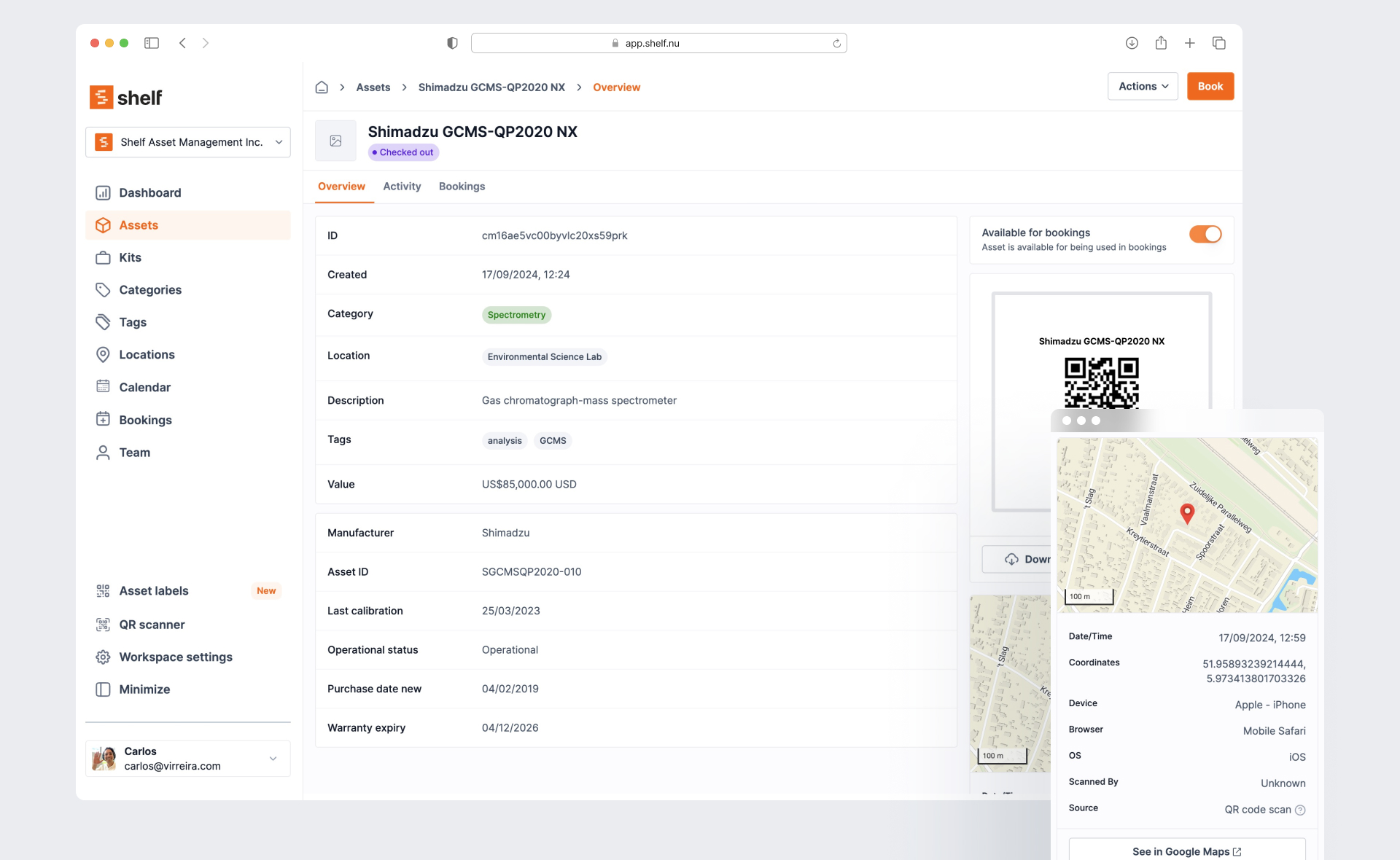
Asset tracking is the process of monitoring physical equipment throughout its lifecycle: who has it, where it is located, when it moves, and what condition it is in. It applies to any organization that shares, lends, or distributes physical items — from cameras and laptops to tools and lab equipment.
Effective asset tracking answers three questions at any moment: who has the item, where is it, and when is it due back. Without a system in place, teams rely on memory, spreadsheets, and manual sign-out sheets that drift out of sync within days.
How It Works — 3 Steps
1. Label your assets. Print QR code labels and attach them to every item you want to track. Labels are customizable with your logo and work with standard label printers.
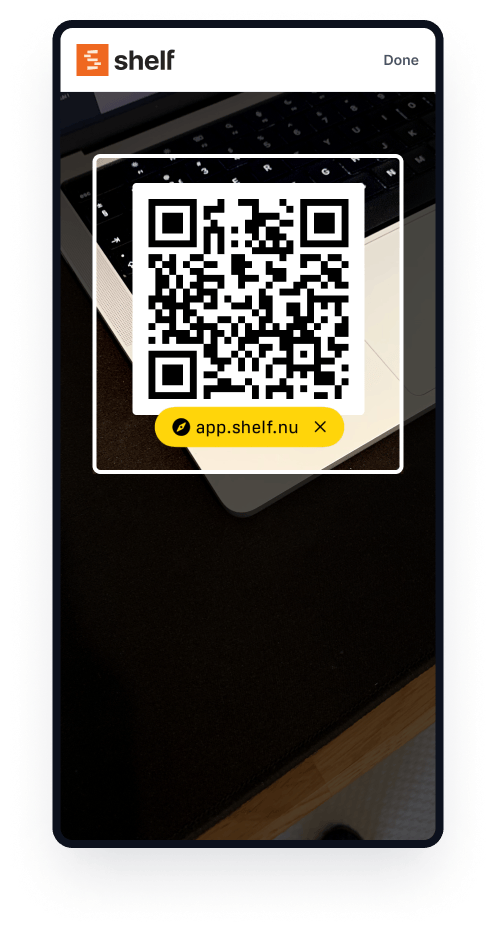
2. Scan to track. Team members scan QR codes with any phone camera to check items in or out, update locations, and view booking availability. No app download required.
3. See everything in real time. Shelf's dashboard shows who has what, where it is, and when it is due back — across every team and location. Custody, location, and availability update automatically with every scan.
Why Spreadsheets and Manual Tracking Fail
Organizations relying on manual methods hit the same problems:
- Lost equipment with no responsibility trail: Items disappear and no one knows who had them last. CES Utility Solutions lost a $70,000 drone kit before switching to Shelf — they recovered it using a QR label scan from a stranger who found it.
- Spreadsheets that are outdated the moment they are saved: Manual records require discipline from every team member. One missed entry and the entire sheet is unreliable.
- Missing accessories: Chargers, cables, lenses, and components get separated from their parent items. Without kit-level tracking, teams waste time hunting for parts before every use.
- Scheduling conflicts: Multiple people assume the same equipment is available. Double bookings lead to last-minute scrambles, delayed shoots, and missed deadlines.
- No audit trail: When something is damaged or missing, there is no history showing who used it, when, or in what condition.
- No visibility across locations: Multi-site teams — field crews, campuses, satellite offices — cannot see what equipment exists at other facilities.
These problems compound. A single missing laptop is an inconvenience. A pattern of lost, double-booked, and unaccountable equipment costs thousands of dollars per year and erodes operational trust.
How Shelf Solves Asset Tracking
Shelf replaces scattered spreadsheets and manual processes with a single system built around QR codes and structured workflows. No app download required — it works in any browser, on any device.
QR Scanning — Identify Any Asset in Seconds
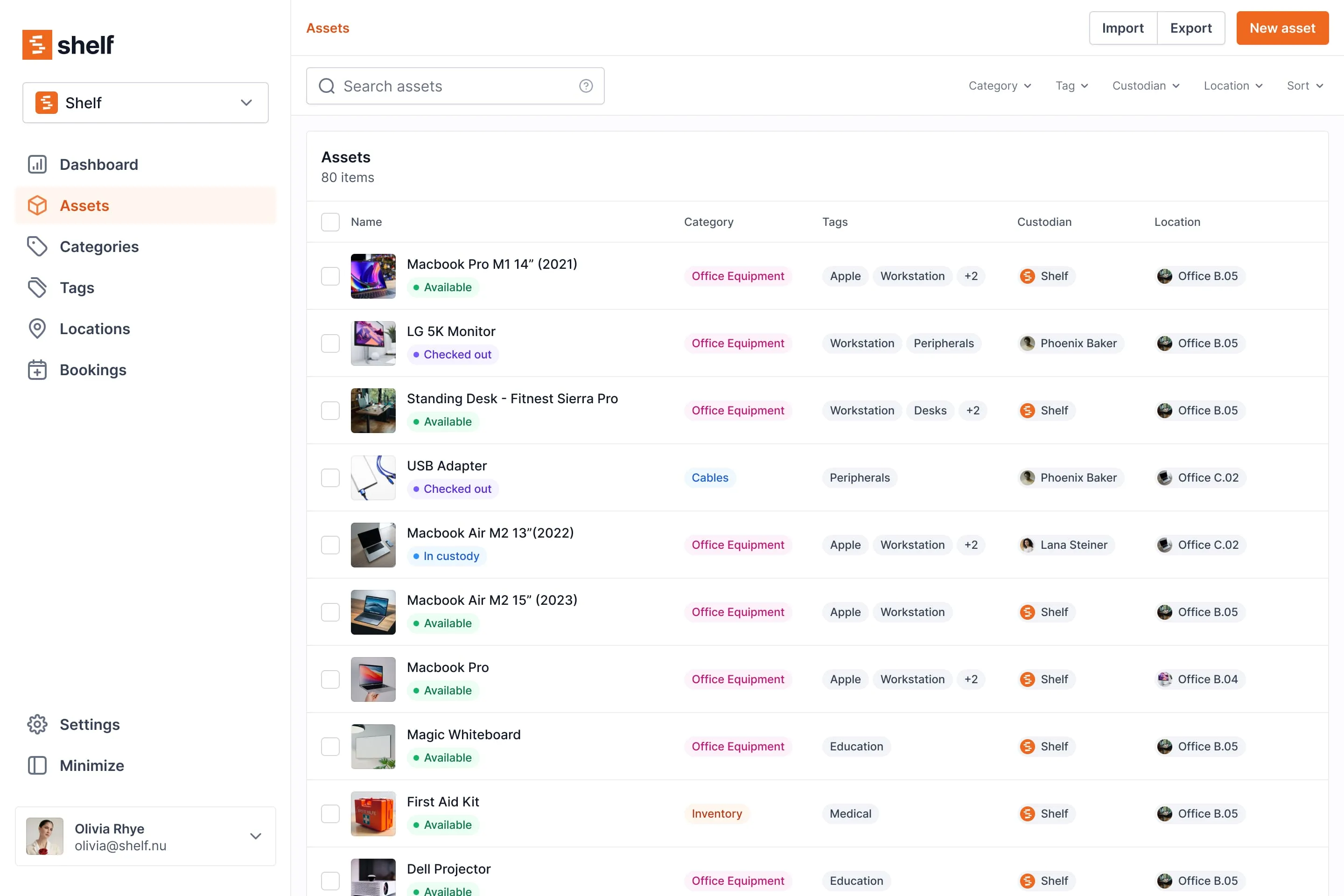
Every asset in Shelf gets a unique QR code. Scan it with any phone camera to instantly see the item's details, custody history, current location, and booking status. No app needed — just open the camera.
Shelf supports custom branded QR labels with your logo and colors, bulk label printing (compatible with DYMO, Brother, and Zebra printers), and alternative barcode formats like Code128 and Data Matrix.
Custody Tracking — Know Who Has What, Always
Shelf automatically records who is responsible for each asset and when responsibility changed. Every custody transfer — check-out, return, reassignment — is logged with timestamps and user details.
The custody chain is permanent and searchable. Need to know who had the projector last Thursday? Filter by asset and date range. Need a signed record? Shelf generates PDF custody agreements with e-signatures.
See: Custody
Location Tracking — Track Equipment Across Sites
Organize assets by building, floor, room, job site, vehicle, or storage area. Shelf supports up to 12 levels of location hierarchy, so you can model your real-world layout precisely.
When an asset moves, scan it to update the location instantly. Shelf can also capture GPS coordinates from the scanning device, so you always know where an item was last seen.
See: Location Tracking
Bookings — Prevent Scheduling Conflicts
Reserve equipment ahead of time with a visual booking calendar. Shelf shows real-time availability and prevents double-bookings automatically. Team members can browse by day, week, or month to find open slots.
Bookings integrate with custody: when someone picks up reserved equipment, a scan confirms the checkout and starts the custody clock. Overdue items are highlighted automatically.
See: Bookings
Kits — Bundle Items That Belong Together
Group a camera with its lenses, batteries, charger, and memory cards into a single kit. When the kit is checked out, all components move together. When it is checked back in, Shelf flags any missing items.
This eliminates the "accessories scattered across three departments" problem that plagues equipment-heavy organizations.
See: Kits
Workspaces — Separate Inventories by Team
Each workspace gets its own asset inventory, user list, and configuration. An IT department and a media production team can each manage their equipment independently, while administrators retain visibility across the entire organization.
See: Workspaces
Custom Fields and Reminders
Track whatever matters to your workflow: purchase date, warranty expiration, serial numbers, vendor, condition, or monetary value. Shelf supports seven field types including text, number, date, dropdown, boolean, and currency.
Set time-based reminders for maintenance windows, warranty renewals, license expirations, or calibration due dates. Reminders are delivered via email and in-app notifications to one or multiple team members.
See: Custom Fields · Asset Reminders
Key Benefits
- Full visibility into every asset's location, status, and custody across the organization
- Clear accountability with automatic, timestamped custody logging and e-signature agreements
- Faster check-in/check-out via QR scanning — no app download, no training, seconds per transaction
- Zero scheduling conflicts through a visual booking calendar with automatic conflict prevention
- Complete accessory tracking with kit-aware management and missing-item detection
- Reduced equipment loss through consistent workflows and real-time audit trails
- Works on any device as a progressive web app — phone, tablet, or desktop
- Free to start with unlimited assets, or upgrade for team features like custody agreements and bulk actions
- Operational reporting on demand — ten built-in reports (Booking Compliance, Top Booked Assets, Monthly Booking Trends, Overdue Items, Asset Inventory, Asset Activity Summary, Asset Utilization, Idle Assets, Asset Distribution, Custody Snapshot) with timeframe and filter controls, CSV/PDF export
Common Use Cases
- Media and film production: Track cameras, audio gear, and lighting kits across shoots and crews. Fabel Film eliminated double bookings entirely by replacing memory-based gear coordination with Shelf.
- Education and universities: Manage laptops, AV equipment, maker space tools, and lab instruments across departments. Eastern Michigan University streamlined their theatre and media equipment checkout workflows with Shelf.
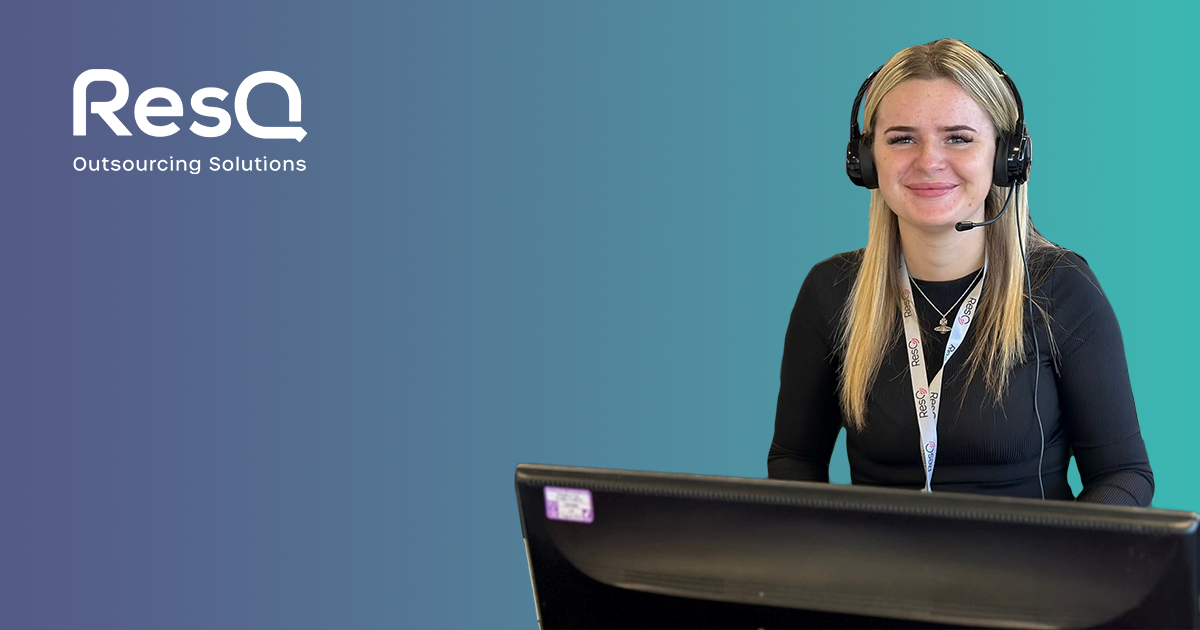
- IT departments: Track employee devices, loaner laptops, monitors, and peripherals with custody chains. ResQ manages 4,000+ contact center assets across multiple sites using Shelf's mobile-first workflow.
- Field operations and construction: Monitor tools across job sites, vehicles, and crews. CES Utility Solutions recovered $70K in drone equipment thanks to Shelf's QR labels.
- Research facilities: HAARP unified seven universities under one asset system, tracking cameras, radio receivers, and diagnostic tools in the Alaskan Arctic.
- Corporate training and events: Manage shared equipment for conferences, workshops, and onboarding sessions with advance booking and kit management.
Why Teams Choose Shelf
- Free to start: Unlimited assets on the free plan. No credit card required.
- No app to install: Works in any browser on any device. QR scanning uses the built-in camera.
- Open source: AGPL licensed with a fully public codebase. Transparent, auditable, community-driven.
- Set up in minutes: Most teams are operational within an hour. Import existing lists via CSV.
- Scales: Teams managing 50,000+ assets use Shelf in production.
- Rated 5.0/5 on G2: Real reviews from real teams.
Getting Started
- Sign up for free at app.shelf.nu — no credit card required.
- Add your assets manually or import them from a CSV file. Shelf provides downloadable templates.
- Print QR labels using any label printer (DYMO, Brother, Zebra) or standard paper. Customize with your logo and colors.
- Invite your team and assign roles: administrators manage everything, self-service users can check out equipment on their own, and base users can browse and request.
- Scan and go — team members scan QR codes to check equipment in or out, update locations, and view booking calendars.
Setup typically takes less than an hour for teams under 500 assets.
Scan assets, manage custody, and run audits from a dedicated native app for iOS and Android. Join the beta waitlist →
Frequently Asked Questions
Is Shelf really free?
Yes. The free plan includes unlimited assets, QR codes, location tracking, and basic custody features for one user. The Team plan adds unlimited users, booking calendars, PDF agreements, bulk actions, and more. There is also an Enterprise tier for SSO, SCIM, and multi-workspace setups.
Does Shelf require a mobile app?
No. Shelf is a progressive web app (PWA) that runs in any modern browser. You can install it to your phone's home screen for an app-like experience, but there is nothing to download from an app store. QR scanning works through your device's camera.
Can I import assets from a spreadsheet?
Yes. Shelf supports CSV import with flexible column mapping. You can import asset names, descriptions, categories, locations, custom field values, and more. Downloadable templates are available.
How does Shelf compare to spreadsheets?
Spreadsheets require every team member to update the same file consistently. One missed entry breaks the system. Shelf automates the hard parts: custody is logged when someone scans a QR code, bookings prevent conflicts automatically, and location updates happen at scan time. There is no manual data entry to forget.
Is Shelf open source?
Yes. Shelf is open source under the AGPL license and can be self-hosted with Docker. Most teams use the hosted version at app.shelf.nu, which requires no setup and includes automatic updates.
What if someone finds a lost item with a QR label?
Shelf's "Found-via-Scan" workflow lets anyone — even without a Shelf account — scan a QR label and notify the owner. This is how CES Utility Solutions recovered a $70,000 drone kit that was found by a stranger at a job site.
See it in action
Real teams using Shelf for asset tracking.

Ready to organize your assets?
Join thousands of teams who trust Shelf to manage their physical assets. Free forever, or try the Team plan free for 7 days.