Shelf vs Limble CMMS
Limble CMMS Alternative
Compare Limble CMMS and Shelf to understand how maintenance-focused CMMS differs from QR-first equipment tracking with bookings and custody workflows.
Limble CMMS Alternative
Limble is a cloud-based CMMS (Computerized Maintenance Management System) designed for facility maintenance teams. It handles work orders, preventive maintenance scheduling, and asset management with a focus on keeping equipment running.
Teams that need equipment tracking without the complexity of a full CMMS often look for alternatives. Shelf takes a different approach — focused on knowing who has what, where it is, and when it is due back, rather than managing maintenance workflows.
Overview: Limble vs Shelf
Limble is built for maintenance operations. Its core strengths are work order management, PM scheduling, spare parts tracking, and maintenance history. Asset tracking exists within Limble as part of the maintenance workflow, not as a standalone system.
Shelf is built for equipment operations. Its core strengths are QR-based check-in/check-out, custody tracking, booking calendars, and real-time visibility across teams and locations. Shelf does not manage work orders or maintenance scheduling — it focuses on the operational side of shared equipment.
Where Shelf Takes a Different Approach
1. Equipment Tracking Without CMMS Overhead
Limble requires teams to adopt an entire maintenance management platform to get asset tracking capabilities. Shelf provides focused equipment tracking without the work order, maintenance, and repair management overhead. Teams that need to track who has what — not manage repair workflows — get started faster with less training.
2. QR-First Check-In/Check-Out
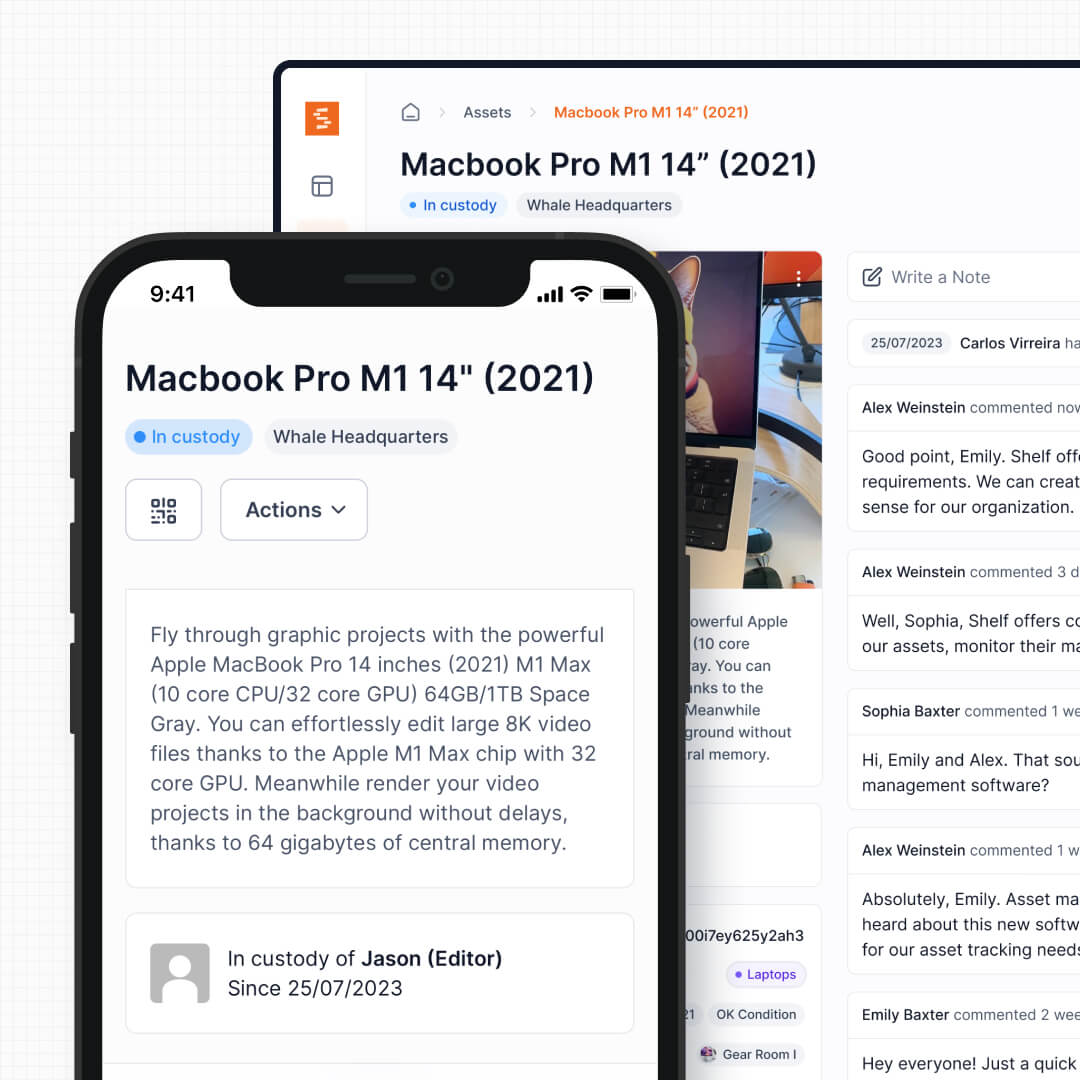
Shelf uses QR codes as the primary interaction model. Scan to check out, scan to return, scan to transfer. The process takes seconds and works on any phone — no app download required.
See: Custody
3. Built-In Booking Calendar
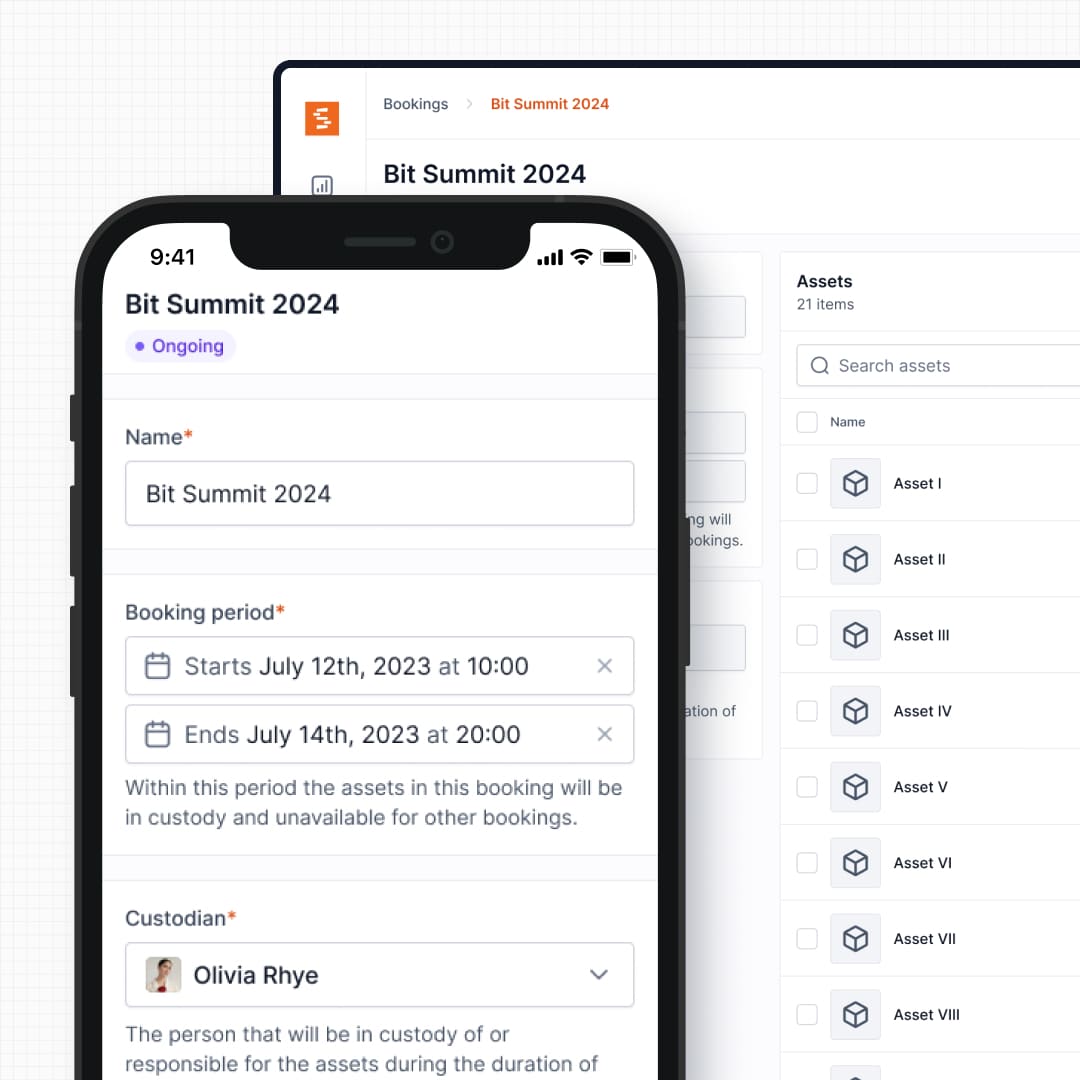
Shelf includes native equipment scheduling with conflict-free booking. Users reserve equipment ahead of time, and the system prevents double-bookings automatically. Limble's asset management does not include a dedicated reservation system for shared equipment.
See: Bookings
4. Kit Management
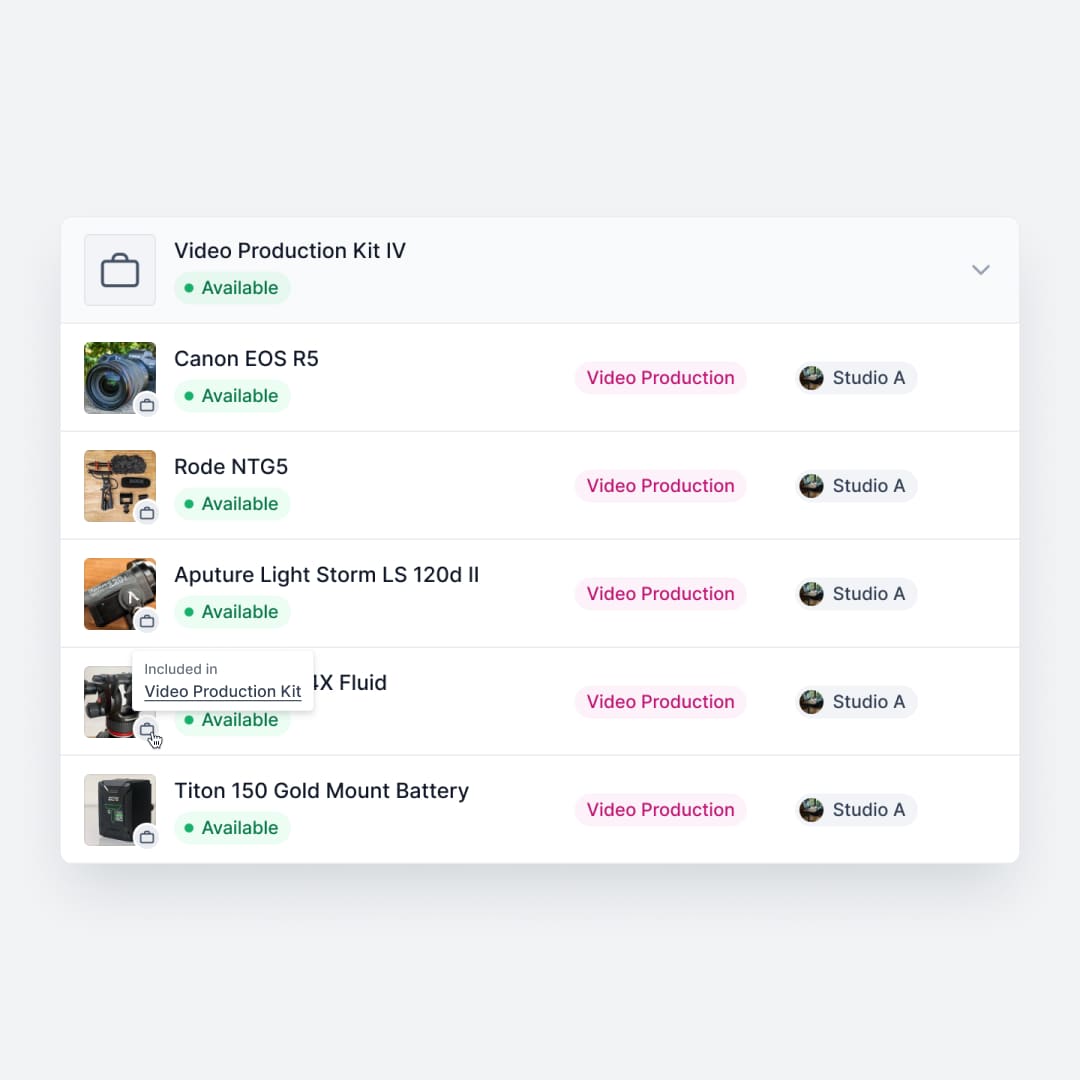
Shelf groups items that belong together — a camera with its lenses, a laptop with its charger, a toolkit with all its components. When a kit is checked out, everything moves together. Return it, and Shelf flags missing items. Limble tracks individual assets but does not offer kit-level checkout workflows.
See: Kits
5. Open Source & Transparent
Limble is closed-source commercial software. Shelf is open source under the AGPL license — the entire codebase is public, auditable, and community-driven. Teams that value transparency or need self-hosting can inspect every line of code.
When Teams Choose Shelf Instead of Limble
- Operations teams tracking shared equipment: QR checkout workflows, booking calendars, and custody chains are the priority — not work orders
- Media and production teams: Equipment check-out and kit management are central to daily operations
- Education institutions: Students need simple self-service equipment checkout, not CMMS complexity
- IT departments managing devices: Laptop and peripheral tracking with custody trails, not maintenance scheduling
- Organizations wanting open-source transparency: Code visibility, self-hosting options, and no vendor lock-in
When Limble May Be a Better Fit
- Facility maintenance teams: Organizations whose primary need is work order management, PM scheduling, and compliance tracking
- Manufacturing operations: Teams focused on equipment uptime, repair workflows, and spare parts inventory
- Regulated industries requiring maintenance documentation: When audit trails for maintenance procedures are legally required
Both tools serve different operational needs — Limble for maintenance management, Shelf for equipment operations and tracking.
Case Studies
See how teams use Shelf for equipment operations:
- CES Utility Solutions — $70K Equipment Recovery
- Fabel Film — Eliminating Double Bookings
- ResQ — 4,000+ Devices Across Multiple Sites
Related Solutions
Quick comparison
| Feature | Shelf | Limble CMMS |
|---|---|---|
| Free plan with unlimited assets | Varies | |
| Open source & self-hostable | ||
| QR codes with custom branded labels | Varies | |
| Custody tracking with PDF agreements | Varies | |
| Equipment bookings & reservations | Varies | |
| Kit-aware check-in/check-out | Varies | |
| Location hierarchy (up to 12 levels) | Varies | |
| CSV import from any tool | Varies | |
| Works on any device (PWA) | Varies | |
| No credit card to start | Varies |
Feature availability for Limble CMMS may vary by plan. We encourage you to verify on their website.
Compatibility Checker
Will your Limble CMMS Barcodes
Work with Shelf?
Camera preview
Supported barcode types: Code128, Code39, QR Code, DataMatrix, EAN-13, EAN-8, UPC-A, UPC-E, ITF, Code93.
If your barcode doesn't scan, it may be due to camera focus, lighting, or barcode quality. This doesn't necessarily mean your code isn't supported — try again or upload a clearer image.
Ready to switch from Limble CMMS?
Create a free account and import your data in minutes. No credit card required.
Ready to organize your assets?
Join thousands of teams who trust Shelf to manage their physical assets. Free forever, or try the Team plan free for 7 days.