

Extending Booking End Dates in Shelf
This guide explains how to prolong existing bookings in Shelf's asset management system without creating new ones, useful for situations where assets are needed longer than initially planned.
Overview
The "Extend Booking End Date" capability allows users to lengthen existing booking durations without requiring new booking creation. This is particularly valuable for situations where assets are needed for longer than initially planned, reducing administrative work and maintaining accurate tracking within Shelf's booking system.
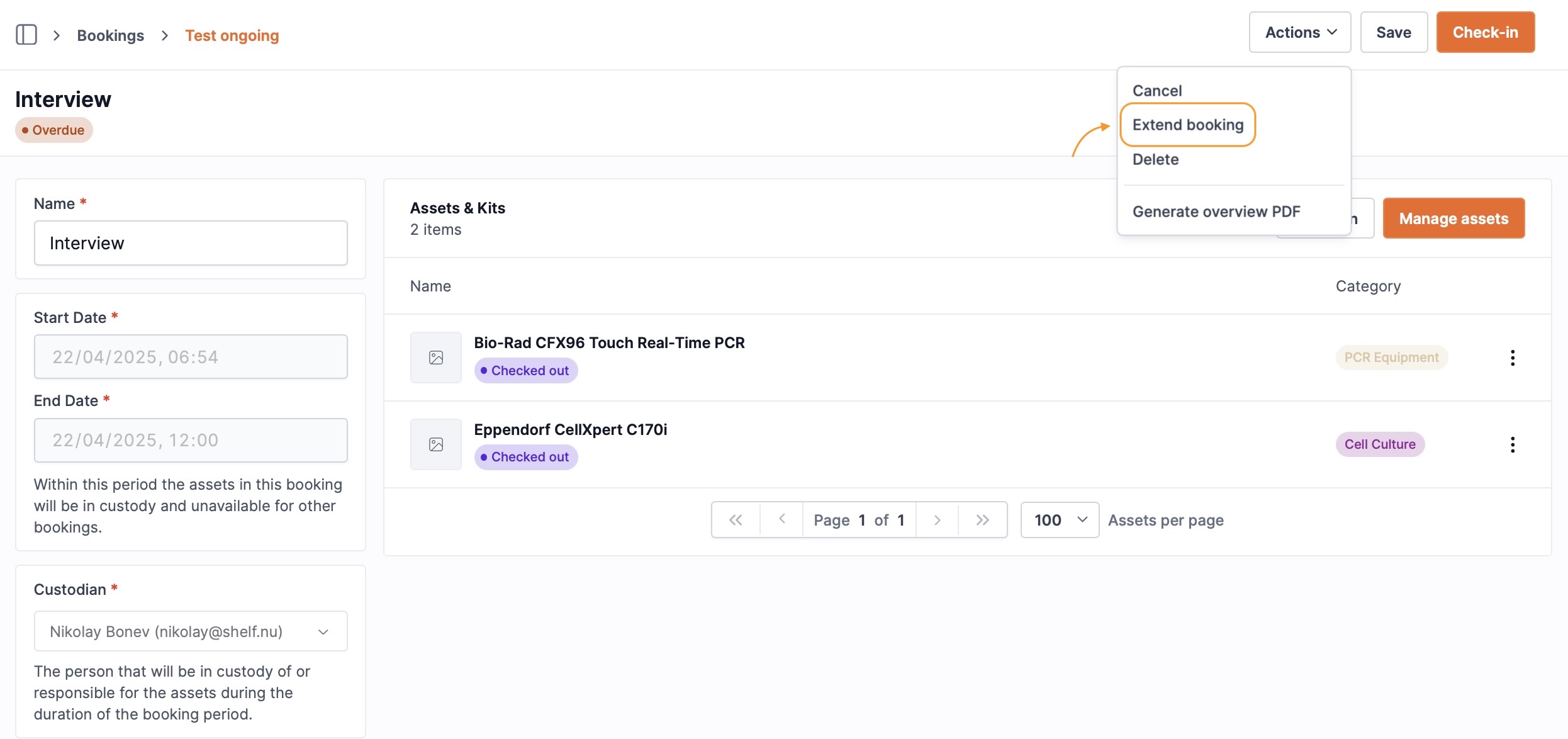

Feature Availability
This functionality applies to bookings with these statuses:
- CHECKED OUT (Ongoing bookings)
- OVERDUE (Bookings exceeding their end date)
The "Extend Booking" option remains unavailable for RESERVED status bookings. Reference the Introduction to Bookings documentation for details about different booking statuses.
How to Extend a Booking
- Navigate to the specific booking requiring extension
- Find the "Actions" dropdown menu on the booking details page
- Select "Extend Booking" from available options
- A modal appears allowing new end date selection
- Choose the desired future end date and confirm
- The system updates the booking with the new end date
What Happens When You Extend a Booking
For OVERDUE Bookings
- Booking status transitions from OVERDUE to CHECKED OUT
- Fresh reminders schedule based on the new end date:
- Check-in reminder
- Overdue reminder
For CHECKED OUT Bookings
- Booking maintains CHECKED OUT status
- All existing scheduled reminders reschedule per the new end date:
- Check-in reminder
- Overdue reminder
Notifications
Upon extending a booking, an email notification is sent to the relevant team members informing them of the extension and the new end date. This ensures transparent communication regarding asset availability.
Data Export Considerations
When exporting an extended booking, both the original booking period and the final end date will be visible, ensuring a complete history of the booking is maintained.
Use Cases
Booking extension supports various scenarios including:
- Equipment loans requiring extended duration
- Unexpected project timeline modifications
- Production delays necessitating continued asset access
- Preventing unnecessary duplicate bookings for identical assets
- Streamlining shared resource management
Permissions
The ability to extend bookings is available to users with administrator permissions in the Shelf system. Consult the user roles and permissions documentation for additional permission details.
Related Resources
Ready to try Shelf?
Put what you're learning into practice. Free plan available — no credit card required.