What is a Tag in Shelf and What Can They Be Used For?
In Shelf, a tag is a labeled attribute you can attach to assets or bookings, allowing organizations to categorize items with flexible keywords beyond fixed fields like category or location.
What is a Tag?
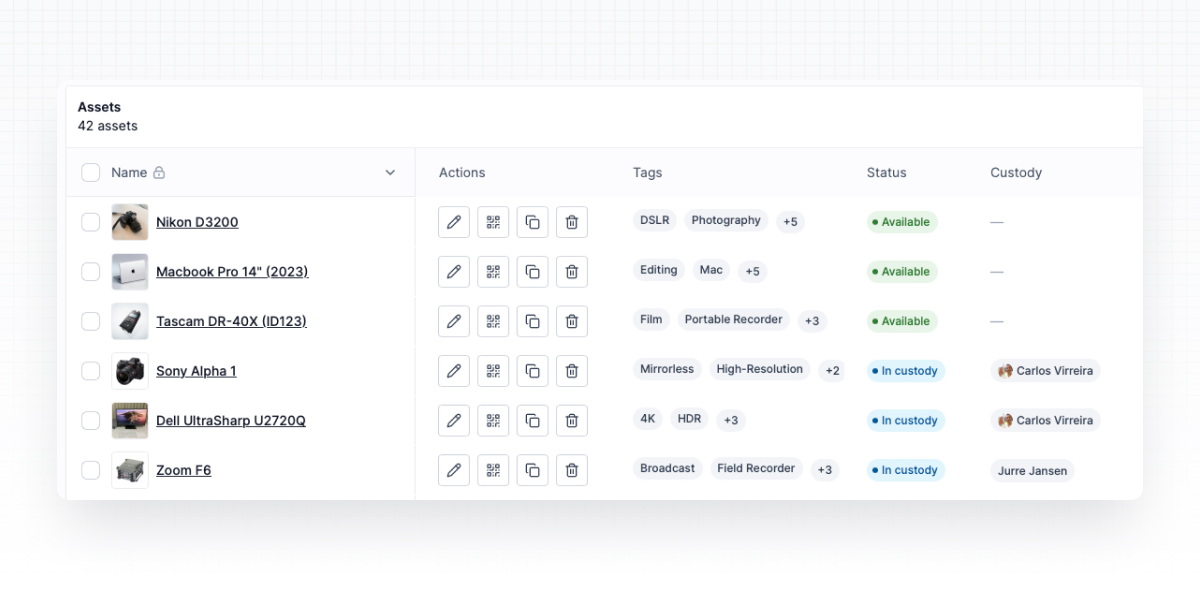
In Shelf, a tag represents a labeled attribute attachable to assets or bookings. Each tag includes a name, optional description, and a setting that determines whether it applies to assets, bookings, or both. This enables organizations to categorize items using flexible keywords that extend beyond standard fields like category or location.
What Can Tags Be Used For?
- Organizing and searching: Tags facilitate grouping items by custom attributes (such as "needs-calibration" or "high-priority") and enable quick retrieval without depending solely on categories or locations.
- Advanced filtering: The asset index supports tag-based filters utilizing operators like "contains," "contains all," and "contains any," permitting precise searches based on single or multiple tags, including identification of "untagged" items.
- Bulk operations: Tags can be assigned or removed across numerous assets simultaneously using the bulk tagging workflow, which respects active filters to update large item sets efficiently.
Why Tags Matter
Tags provide flexible, organization-specific context that complements standard fields. They enable refined searches, accelerate workflows, and support scalable bulk updates, helping teams maintain discoverable and consistent inventories.
Ready to try Shelf?
Put what you're learning into practice. Free plan available — no credit card required.